You don’t digitize your entire warehouse at once. You start with 5 parts.
That’s it. Five parts that cost you more to store than they’re worth. Five parts you convert from shelf-sitting liabilities into production-ready digital files in a matter of weeks. Five parts that prove the concept before you commit a single dollar to “transformation.”
Every company that has successfully digitized inventory at scale started this way. Deutsche Bahn, which now has over 200,000 parts in its digital inventory, didn’t begin with 200,000. They began with a handful. Proved the economics. Then scaled.
This guide walks you through exactly how to do the same thing. Step by step. No consultant-speak. No $100,000 “assessment phase.” A practical process that operations leaders and maintenance managers can execute starting this week.
If you’re new to the concept, start with our complete guide to digital inventory. If you already understand what digital inventory is and you want the playbook for implementing it, keep reading.
What “Digitizing” Inventory Actually Means
Let’s clear up the most common misconception first.
Digitizing your inventory does not mean scanning barcodes. It does not mean putting your parts list into a spreadsheet or buying inventory management software. Those things track physical inventory. They don’t replace it.
Digitizing inventory means creating a production-ready digital file for each part. A file that contains everything needed to manufacture that part on demand. The geometry. The material specification. The tolerances. The surface finish. The post-processing requirements. Everything a manufacturer needs to produce an exact replacement without ever seeing the original.
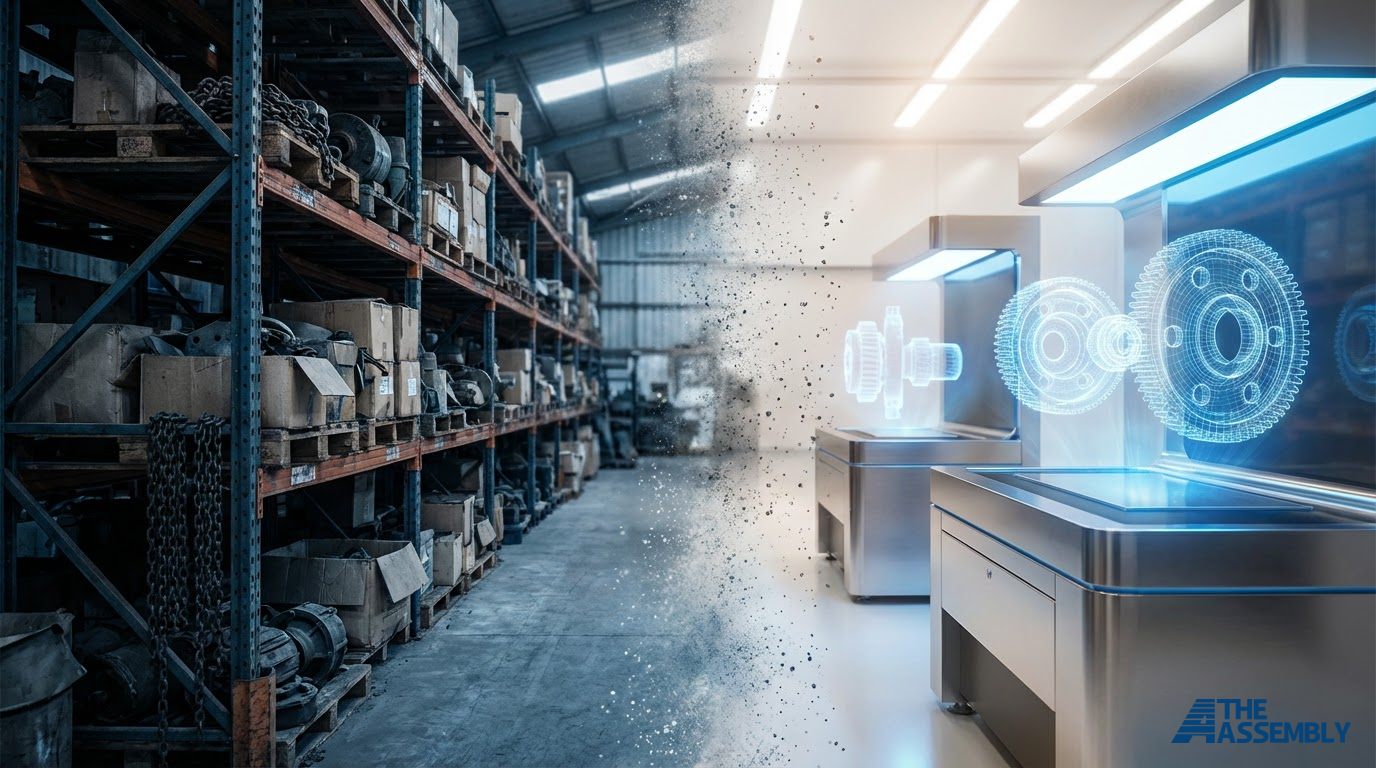
When a part is fully digitized, you no longer need to store it. You store the file. When someone needs the part, it gets manufactured from that file and delivered in as fast as 2 days. No warehouse pull. No safety stock calculation. No minimum order quantity forcing you to buy 500 when you need 3.
The output of digitization is a verified digital library. Not a scan. Not a photograph. A library of production-grade files that function as your inventory. Each file is a virtual shelf holding unlimited copies of a part that never degrades, never becomes obsolete (because you update the design), and costs nothing to store.
That’s the shift. From physical inventory that costs 20-30% of its own value annually in carrying costs to digital inventory that costs almost nothing to maintain. The economics favor digital for the majority of low-volume SKUs.
Here’s how to build it.
Step 1: Audit Your Inventory and Identify Candidates
Before you digitize anything, you need to know what’s worth digitizing.
Pull your inventory data. Every SKU. Annual demand. Unit cost. Current stock level. Last order date. Supplier lead time. Minimum order quantity.
Most ERP and inventory management systems export this in minutes. If yours can’t, a manual pull from your last 24 months of purchasing data works.
Now sort by a single metric: carrying cost relative to demand frequency. You’re looking for parts that are expensive to store and rarely ordered. These are your best candidates.
The ideal digitization candidate looks like this:
- Low demand: Fewer than 12 orders per year. Parts sitting on shelves for weeks or months between orders.
- High MOQ mismatch: Your supplier requires a minimum order of 200 units, but you only use 15 per year. You’re carrying 13 years of stock because the MOQ forced your hand.
- Aging equipment: Parts for machines or systems nearing end of life. Original manufacturers have already stopped production. Replacement parts are getting harder to source and more expensive to buy.
- Simple to moderate geometry: Parts that can be manufactured via CNC machining, 3D printing, or laser cutting without requiring specialized tooling or exotic processes.
What to skip (for now):
- Standard commodity fasteners (bolts, washers, O-rings). Buy these in bulk. The economics already work.
- Parts with extreme tolerances that require dedicated tooling.
- Parts with regulatory certifications tied to a specific manufacturing process (some aerospace and medical components). These can be digitized, but they require additional qualification work that doesn’t belong in a pilot.
Here’s the number that should motivate you: 60-80% of SKUs in a typical spare parts inventory are candidates for digitization. These long-tail parts account for the majority of your warehouse space and carrying cost, but less than 20% of your actual demand.
They’re the fat you didn’t know you were carrying.
Step 2: Prioritize with the 5-Part Pilot
You’ve identified hundreds of candidates. Don’t try to digitize them all. Pick 5.
The 5-part pilot is how you prove the concept without risk. Five parts is enough to test the full process, from file creation through production through delivery, while keeping the investment small enough that nobody needs board approval.
How to pick your first 5:
Start with variety. Pick parts that represent different manufacturing methods and materials. One CNC-machined metal part. One 3D-printed polymer part. One laser-cut component. This gives you data across multiple production paths, not one.
Pick parts you can compare. Choose parts where you have the original in hand. You’ll need it to validate the digitized version.
Include one “problem child.” Every inventory has that part. The one with the 16-week lead time from an overseas supplier. The one where the MOQ is absurd. The one where the original manufacturer went out of business and you’re down to your last 3 units. That part is your best case study for internal buy-in.
Avoid your most critical, high-risk parts. This is a pilot. Pick parts where a quality issue doesn’t shut down a production line. Save the mission-critical components for after you’ve validated the process.
What a good pilot set looks like:
| Part | Material | Method | Annual Demand | Current MOQ | Why It’s a Candidate |
|---|---|---|---|---|---|
| Bracket, motor mount | Aluminum 6061 | CNC machining | 8/year | 100 units | 12 years of stock on shelf |
| Housing cover | Nylon PA12 | SLS 3D printing | 4/year | 50 units | Supplier discontinued |
| Gasket, custom profile | Rubber/TPU | 3D printing | 15/year | 500 units | Massive MOQ mismatch |
| Mounting plate | Steel 1018 | Laser cutting | 6/year | 25 units | Simple geometry, easy win |
| Cable guide | ABS | FDM 3D printing | 10/year | 200 units | Low criticality, good test |
Five parts. Five different stories. One pilot that proves the concept across your actual inventory.
Step 3: Create or Obtain Digital Files
Every part needs a production-ready digital file. There are three paths to get there, and the right one depends on what you already have.
Path A: You Already Have CAD Files
This is the fastest route. If your engineering team or original equipment manufacturer created 3D models (STEP, IGES, Solidworks, Fusion 360, or other native formats), you already have what you need.
But don’t assume the file matches the physical part. Designs drift. Engineering changes get made on the shop floor but never back into the CAD model. A part manufactured for 10 years has often diverged from its original drawing.
What to do: Pull the existing CAD file. Compare critical dimensions against the physical part. If they match within tolerance, validate the file and move on. If they don’t, update the model to reflect the as-built condition.
Cost: Minimal. Validation and minor updates typically run $50-$200 per part.
Timeline: Days, not weeks.
Path B: 3D Scanning
If you have no CAD file but you have the physical part, 3D scanning creates a digital model from the object itself.
Industrial-grade 3D scanners capture surface geometry at accuracies of 0.05mm or better. The scan produces a point cloud or mesh that gets converted into a solid CAD model suitable for manufacturing.
When to use it: Parts with organic or complex shapes where manual measurement would be impractical. Parts where no engineering documentation exists at all.
What to know: A raw 3D scan is not a production-ready file. Scan data needs to be cleaned, converted to solid geometry, and annotated with manufacturing specifications (material, tolerances, surface finish). This is skilled engineering work.
For critical dimensions, supplement the scan with CMM (coordinate measuring machine) measurements. Scanners capture overall geometry well, but CMM provides the precision needed for tight-tolerance features like bores, mating surfaces, and threaded holes.
Cost: $200-$1,000 per part depending on complexity.
Timeline: 1-2 weeks per part including CAD conversion.
Path C: Reverse Engineering
Some parts can’t be scanned effectively. They’re too worn. They’re installed in equipment and can’t be removed. They exist only as a 2D drawing on a crumpled blueprint from 1987.
Reverse engineering starts from whatever information is available. A drawing, a photograph, field measurements, the mating part’s geometry. An engineer analyzes the function, fits, and interfaces, then builds a production-ready 3D model from scratch.
When to use it: Legacy parts with no documentation. Parts that need to be redesigned for modern manufacturing methods. Components where the original design can be improved during digitization.
Cost: $500-$2,500+ per part depending on complexity.
Timeline: 2-4 weeks per part.
Which path for your pilot?
Realistically, most 5-part pilots use a mix. You have a CAD file for one part, need scanning for two others, and reverse engineering for the remaining two. That’s fine. In fact, it’s ideal. You want the pilot to exercise all three paths so you know which one your broader inventory will need most.
Step 4: Validate Files for Production
Having a 3D model is not the same as having a production-ready file. This step is where most digitization efforts fail. It’s where the difference between “we have a scan” and “we have digital inventory” gets defined.
A production-ready file includes everything a manufacturer needs to produce the part correctly on the first attempt:
Material specification
Not “aluminum” but the exact alloy and temper. 6061-T6 behaves differently than 6061-O. 304 stainless is not 316 stainless. The material spec affects machinability, strength, corrosion resistance, and cost. Get this wrong and the part looks right but fails in service.
What to document: Material type, grade, alloy, temper/condition, and any material certifications required (e.g., mill cert for traceability).
Tolerances
Every dimension on the part needs a defined tolerance. Critical features (bores, mating surfaces, bearing seats) need tight tolerances. Non-critical features can be looser. Over-tolerancing every feature drives up cost without adding value.
What to document: General tolerance class (e.g., ISO 2768-m for machined parts), plus specific tolerances for critical dimensions called out individually. Include GD&T (geometric dimensioning and tolerancing) for features where position, flatness, or concentricity matter.
Surface finish
Surface finish affects function, appearance, and cost. A bearing surface needs different treatment than a cosmetic cover.
What to document: Required Ra (surface roughness) values for critical surfaces. Any post-processing requirements: anodizing, powder coating, polishing, bead blasting, heat treatment, plating.
Assembly and interface requirements
Parts don’t exist in isolation. They mate with other components. They press into housings. They bolt to frames.
What to document: Mating part references. Press-fit or clearance-fit specifications. Thread specifications. Any functional requirements (must seal, must conduct, must insulate).
The validation checklist
Before a file goes into your digital inventory, confirm:
- 3D model matches physical part within specified tolerances
- Material specification is complete (type, grade, condition)
- All critical dimensions have explicit tolerances
- Surface finish requirements are documented
- Post-processing requirements are specified
- Assembly/interface requirements are captured
- File is in a universal format (STEP preferred for interoperability)
- Manufacturing notes address any special considerations
This documentation takes time upfront. It saves time on every single production run afterward. A properly validated file produces a correct part on the first order and every order after that.
Step 5: Select Manufacturing Methods
With validated files in hand, each part needs an assigned manufacturing method. The right method depends on the part, not on what equipment happens to be available.
This is where partnering with an on-demand manufacturing network matters. A single shop with one CNC mill will tell you everything should be CNC milled. A distributed manufacturing network with access to multiple technologies will match the method to the part.
Decision framework:
CNC machining when you need:
- Tight tolerances (down to +/- 0.025mm)
- Metal parts under mechanical stress
- High surface finish quality
- Proven material properties (wrought metals)
3D printing (SLS/MJF) when you need:
- Complex geometry that would require multiple CNC setups
- Small batch production (1-50 units)
- Polymer parts with moderate mechanical requirements
- Internal channels or lattice structures
3D printing (FDM) when you need:
- Functional prototypes
- Jigs, fixtures, and tooling
- Low-stress components
- Fast turnaround at lowest cost
3D printing (SLA) when you need:
- Fine detail and smooth surface finish
- Small, precise components
- Appearance models or patterns
Laser cutting when you need:
- Flat-profile parts (brackets, plates, gaskets)
- Sheet metal components
- High edge quality
- Fast production of 2D geometries
For a deeper look at each method, see our on-demand manufacturing guide.
Don’t over-specify
A common mistake: choosing the most precise, most expensive method “to be safe.” If a cable management clip needs +/- 1mm tolerance and has no structural requirements, SLS nylon at $8 per part makes more sense than CNC aluminum at $45 per part.
Match the method to the requirement. Your manufacturing partner should help you make this call and push back if you’re over-specifying.
Step 6: Test Production
This is where theory becomes reality. Order sample production runs for each of your 5 pilot parts.
What to order
One to three units of each part. Enough to test thoroughly without spending unnecessarily.
What to check
Dimensional accuracy. Measure the produced part against the file specifications. Use calipers for general dimensions. Use CMM for critical features if required. Every dimension should fall within the specified tolerance.
Material verification. Confirm the material matches the specification. For metals, this means reviewing the material certificate. For polymers, confirm the material grade and any post-processing (e.g., vapor smoothing, dyeing).
Fit testing. Install the digitized part in its actual application. Does it fit? Does it mate correctly with adjacent components? Does it function as expected?
Visual inspection. Surface finish. Edge quality. Overall appearance. Does it match or exceed the original?
Document everything
For each sample part, create a first article inspection (FAI) report:
- Measurement data for all specified dimensions
- Material certification
- Photographs (compare digitized part to original side by side)
- Fit/function test results
- Pass/fail determination
- Any notes or required adjustments
What if a part fails?
It happens. A dimension is out of tolerance. The surface finish doesn’t meet the requirement. The fit is off.
This is not a failure of the concept. It’s a calibration. Adjust the file, update the production spec, and re-run. Most issues are resolved in a single iteration. Some parts, particularly those with complex interfaces or tight stacks of tolerances, take two or three rounds.
This is exactly why you’re running a pilot with 5 parts instead of 500. You’re working out the process on a small scale before you scale it.
Step 7: Deploy and Scale
Your 5 pilot parts are validated. The files are production-ready. The manufacturing methods are selected and tested. The quality is confirmed.
Now scale.
From 5 to 50
Go back to your audit from Step 1. Pull the next 45 candidates. Prioritize by carrying cost impact. The parts costing you the most to store go first.
At this point, the process is established. File creation is faster because your team (or your manufacturing partner) knows the documentation standard. Validation is faster because the quality baseline is set. Production is faster because the manufacturing methods are proven.
Most companies digitize 50 parts in 4-8 weeks once the pilot is complete.
From 50 to 500
This is where the economics become dramatic.
At 50 parts, you’ve freed up warehouse space and reduced some carrying costs. At 500 parts, you’re eliminating entire sections of your warehouse. You’re releasing hundreds of thousands of dollars in working capital. In some cases millions. You’re cutting your carrying costs by a proportion that shows up clearly on the income statement.
Deutsche Bahn followed this exact curve. Started small. Proved the concept. Scaled progressively. Now at over 200,000 parts with a target of expanding further by 2030.
What to track as you scale
- Carrying cost reduction. Measure the before and after. What were you spending to store these parts? What do you spend now?
- Working capital freed. Every part that moves from physical to digital releases the capital that was locked in physical stock.
- Lead time performance. Are digitized parts being delivered within the promised window?
- Quality metrics. First-pass yield on production orders. Reject rates. Customer complaints on digitized parts vs. traditionally sourced parts.
- Cost per part. Track the on-demand unit cost vs. what you were paying per unit through traditional procurement (including carrying costs in the traditional number).
Integration with existing systems
Your ERP doesn’t need to be replaced. It needs to be updated.
For digitized parts, the “inventory” entry changes from a physical stock count to a digital file reference. The part is always “in stock” because the file is always available. Purchase orders trigger production orders instead of warehouse pulls. The same system tracks it. The workflow changes.
Most ERP platforms (SAP, Oracle, Microsoft Dynamics, NetSuite, and simpler systems) accommodate this with configuration changes. You’re not replacing infrastructure. You’re changing what “inventory” means inside your existing infrastructure.
Common Mistakes to Avoid
We’ve seen companies attempt digitization and stumble. These are the patterns that cause problems.
Trying to digitize everything at once
The “big bang” approach fails almost every time. It’s expensive, overwhelming, and creates too many variables to troubleshoot when things go wrong. Start with 5. Scale to 50. Then 500. Progressive beats wholesale.
Treating a 3D scan as a production file
A scan captures geometry. It doesn’t capture material specs, tolerances, surface finishes, or post-processing requirements. A scan without engineering documentation is like a photograph of a blueprint. It shows you what something looks like, not how to build it.
Ignoring tolerances
“Make it look like this” is not a manufacturing specification. Every critical dimension needs a defined tolerance. Without it, you’ll get parts that look right but don’t fit, don’t seal, don’t function.
Choosing the wrong parts for the pilot
Starting with your most complex, most critical parts is a recipe for a failed pilot and a killed initiative. Start with moderate-complexity, non-critical parts. Build confidence. Then tackle the harder stuff.
Not involving maintenance and operations
The people who install and use these parts know things that aren’t in any drawing. Which surface needs to be smooth. Which dimension is actually critical vs. which one was over-specified 20 years ago. Which parts fail most often and why. Get their input during validation.
Skipping the business case
Digitization for its own sake doesn’t get budget. Do the math. Calculate the carrying cost of the parts you’re digitizing. Calculate the working capital that gets freed. Show the ROI. Use our savings calculator to build the case.
Frequently Asked Questions
How long does it take to digitize a part?
It depends on the path. If you have existing CAD files that match the physical part, validation takes days. If you need 3D scanning and CAD conversion, expect 1-2 weeks. Full reverse engineering of a complex part with no documentation takes 2-4 weeks. For the 5-part pilot, plan on 3-6 weeks from start to validated files, including sample production and testing.
What does it cost to digitize a single part?
File creation ranges from $50-$200 (existing CAD validation) to $200-$1,000 (3D scanning and conversion) to $500-$2,500+ (full reverse engineering). This is a one-time cost per part. Once the file is created and validated, it’s permanent. It produces parts for years without any additional digitization expense.
Do I need a 3D scanner to get started?
No. Many parts already have CAD files that need validation. For parts that need scanning, your manufacturing partner should handle this as part of the digitization process. You don’t need to buy equipment or develop in-house scanning capability. Focus on identifying candidates. Let the manufacturing network handle file creation.
Will on-demand parts be identical to my current parts?
They will meet the same specifications. The manufacturing method differs (a part originally injection molded is now CNC machined or 3D printed), but the critical dimensions, material properties, and functional performance match. In some cases, digitization is an opportunity to improve parts. Better materials. Updated designs. Optimized geometry. The part doesn’t have to be identical. It has to perform identically or better.
What about parts still under warranty or OEM agreement?
Check your agreements. Some OEM warranties require using OEM-sourced parts. Others specify performance requirements that any qualified part meets. For parts outside warranty (the majority of spare parts in aging equipment), there’s no restriction. You own the equipment. You source replacement parts however you choose.
How does this affect my relationship with existing suppliers?
Digital inventory is not about replacing all suppliers. High-volume, commodity parts still make sense through traditional channels. What changes is the long-tail. The 60-80% of SKUs that are low-demand, high-carrying-cost parts. These shift to on-demand production. Your existing suppliers don’t want this business anyway. Low volumes, sporadic orders, and small margins make these parts unprofitable for traditional manufacturers. You’re not taking business away from them. You’re solving a problem they weren’t serving.
Start Your Pilot This Month
The gap between “thinking about digitizing inventory” and “actually doing it” is smaller than you think. Five parts. A few weeks. Minimal investment. Real data.
Here’s what to do next:
Run the numbers. Use our Digital Inventory Savings Calculator to estimate what your current spare parts inventory costs you in carrying costs and see the potential impact of going digital.
Explore the concept. If you want deeper context on how digital inventory works and how it compares to traditional warehousing, start with our complete guide.
Talk to us. Book a 15-minute call and tell us what’s sitting on your shelves. We’ll help you identify your best pilot candidates, estimate file creation costs, and map out what a 5-part pilot looks like for your specific inventory. No pitch deck. A practical conversation about your parts.
Five parts is all it takes to prove this works. The other 500 can wait until you’ve seen the results.